
Home › Vector tools › VectorSelector
VectorSelector QGIS 4 compatibility
Not QGIS 4 ready Quiet
Not yet — the latest version declares max QGIS version 3.99.0, so it is not offered to QGIS 4 users.
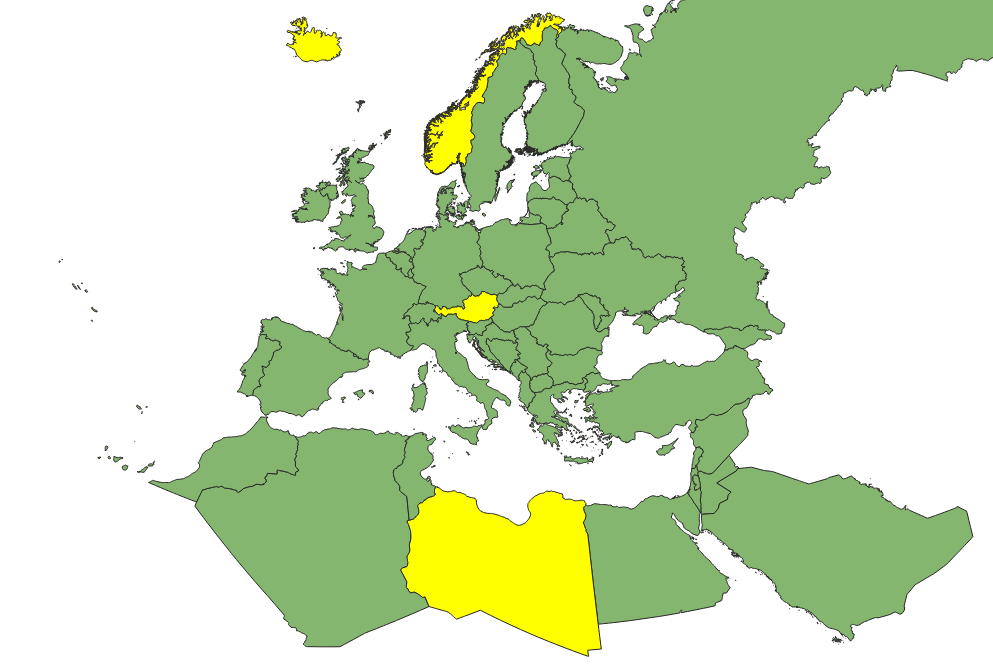
Select a one or multiple fields in a vector file filter columns and create a widget.
About
The VectorSelector plugin adds an icon to the QGIS toolbar. When clicked, it opens a dockable widget that allows users to select a layer, choose an attribute field, and display a list of attribute values as checkboxes. Users can select multiple values to highlight and select corresponding features in the map and automatically zoom to them. This plugin enhances data exploration and feature selection based on attribute values in QGIS.
| Author | adrian |
|---|---|
| Downloads | 2,809 |
| Latest version | 1.3 |
| Last updated | 2025-02-28 (595 days ago) |
| Min QGIS | 3.10.0 |
| Max QGIS | 3.99.0 |
| QGIS 4 ready | No |
| Maintenance | Quiet |
| Category | Vector tools |
| Tags | vector, qgis, plugin, selected, example |
Homepage · Repository · Issue tracker · Official page
Alternatives in Vector tools
- HCMGISQGIS 4 ready
HCMGIS - Basemaps, Download OpenData, Batch Converter, VN-2000 Projections, and Field Calculation Utilities
- mmqgisQGIS 4 ready
A collection of QGIS vector layer operation plugins
- Shape ToolsQGIS 4 ready
Shape Tools is a collection of geodesic shapes and tools. Create circle, ellipse, line of bearing, points along a line of bearing, concentri


Related plugins
- ArcGisAttachmentsReaderNot QGIS 4 ready
Read and display ArcGIS File Geodatabase attachments directly in QGIS.
- MariaDB to QGISNot QGIS 4 ready
Fetches longitude (x) and latitude (y) data from MariaDB and writes it to a Shapefile or GeoPackage and adds it to your map.
- MxExportNot QGIS 4 ready
MxExport is a QGIS plugin designed for GIS professionals, offering coordinate positioning, NDS/XYZ/TMS tile information display, WKT/GeoJSON
- Elasticsearch LoaderNot QGIS 4 ready
Connects to an Elasticsearch index, executes a query, and loads the results as a QGIS layer.
- qpipQGIS 4 ready
PIP dependencies manager for QGIS plugins
- Plugin Load TimesQGIS 4 ready
If QGIS takes long to start, it can be because some of the plugins you installed take a long time to load at startup. This plugin shows the






Maintenance: Active = updated within 1 year, Quiet = 1–3 years, Likely abandoned = over 3 years.